
AI electronic badges can display moving images and play sound, with some designs also offering voice conversations. Capabilities vary by version. Some focus on media and phone interaction; others put more emphasis on knowledge bases, agents and content management.
DOIT’s 2026 hardware selection guide lists Bluetooth and S3 smart electronic badges separately. This article compares those descriptions. An unlisted feature needs confirmation; its absence from one page does not prove the product lacks it.
Bluetooth version: Media and fan interaction
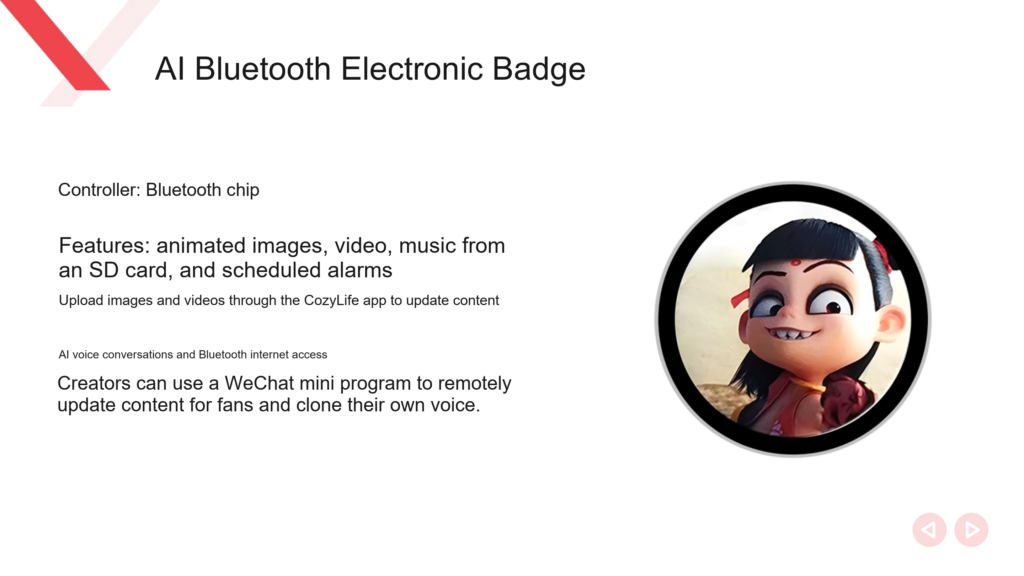
The Bluetooth badge description lists animated images, video, music from an SD card and scheduled alarms. It says users can upload images and videos through the CozyLife App, and also mentions AI voice communication and internet access through Bluetooth.
For a project that displays characters, plays audio or distributes creator content, prepare images, animations and videos. Test each type of playback, then try updating the content from a phone.
The documents also describe remote content updates through a WeChat mini program and voice cloning. During prototyping, confirm the available mini program version, account permissions and service conditions before deciding which online features users will receive and under what limits.
S3 version: Agents and knowledge content
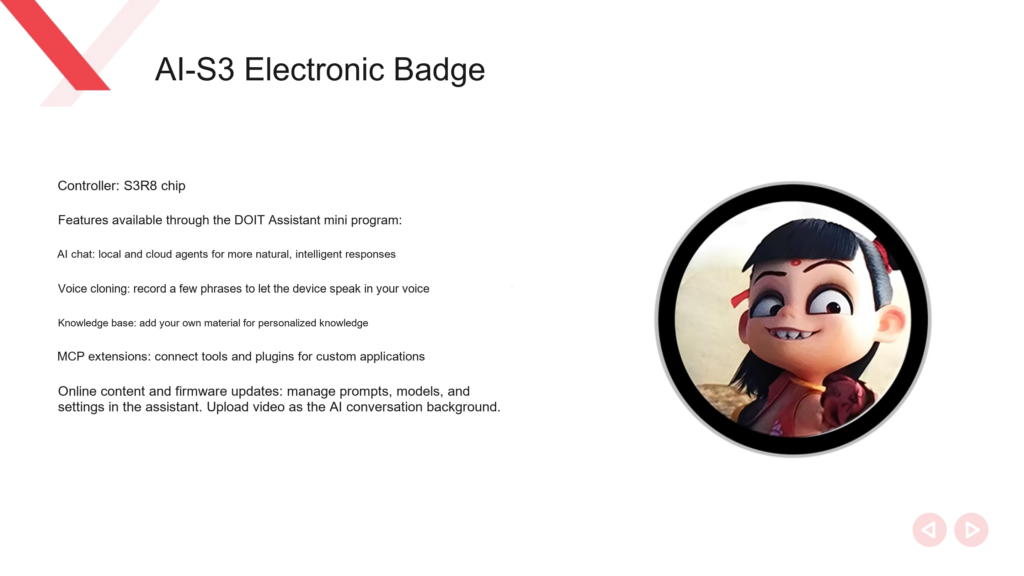
The S3 version uses an S3R8 controller. Its description lists AI conversations, voice cloning, knowledge base access, MCP extensions, and online media and firmware updates through DOIT Assistant (四博小助手).
For character, exhibition or brand questions and answers, test the knowledge base first. Supply a document with a clear scope, then check answers to questions covered by it and responses to questions outside that scope.
The guide says video can play as an AI conversation background. Confirm the format, dimensions, storage location and conditions for running video and conversation at the same time.
Compare the documented features
| Requirement | Bluetooth version description | S3 version description |
|---|---|---|
| Animated images, video and other media | Animated images, video and App uploads explicitly listed | Content updates and conversation background video mentioned |
| SD card music and scheduled alarms | Explicitly listed | Not detailed on the corresponding page |
| AI conversation | AI voice communication explicitly listed | AI conversation and agent functions explicitly listed |
| Voice cloning | Related use cases described | Explicitly listed |
| Knowledge base access | Not explicitly listed on the corresponding page | Explicitly listed |
| MCP extensions | Not explicitly listed on the corresponding page | Explicitly listed |
| Update entry point | CozyLife App and mini program descriptions | DOIT Assistant and online management descriptions |
This table compares documented features. Startup speed, conversation latency, battery life and display smoothness still need measurements under the same conditions on both versions.
Choose prototype tests around the product’s tasks
For creator merchandise, check whether content is easy to update, whether the visuals match the character design and whether audio plays as intended. Include the initial setup a fan will complete after receiving the device.
For an interactive product with character knowledge, prioritize the S3 knowledge base and agent workflow. Ask which operations in the description of local and cloud agents run on the device and which require a network. That wording does not establish offline execution of a large language model on the board.
If the product needs an external capability through MCP, define a specific task before prototyping. For example, have the device query a piece of data through a configured tool, then confirm the required interface and permissions. MCP support does not guarantee compatibility with every tool.
Check media specifications and service conditions
When requesting a sample, ask the supplier for:
- Screen size, resolution, and image and video format limits.
- Local storage capacity, SD card requirements and content update methods.
- Network setup, initial binding and account migration procedures.
- Activation and pricing conditions for voice cloning, knowledge bases and online conversations.
- Functions that remain available without a network.
- Recovery after a failed firmware update and whether updates affect user content.
Test updating local media from a phone separately from remotely updating another device. The account and service flows differ; one local demonstration cannot verify both.
Accept the prototype against actual tasks
Use the same media and questions on both candidates. Complete initial setup, upload, playback, conversation and restart, recording the results and error messages at each stage.
Acceptance should cover the tasks users will receive. For a character interaction product, run the complete character question-and-answer flow before deciding how to proceed with development.
Related reading
- Choosing hardware for AI toys
- Provisioning a Xiaozhi AI device
Sources
- DOIT AI Hardware Selection Guide 2026 (PDF), pages 18 and 20.
Leave a Reply
You must be logged in to post a comment.