
An AI toy’s hardware depends on how people interact with it. Story players center on listening. Desktop pets need displays and speech to work together. Smart dolls must fit electronics into a particular physical design. Each needs its own requirements, even if all three support voice conversations.
The DOIT hardware selection guide describes different uses for AI-01, C3 and S3 designs. This article turns those product categories into questions to confirm and functions to test during selection.
Story players: Decide where the content comes from
A storytelling product might play preloaded audio, select content through fixed commands or generate answers through an online conversation. These choices have different storage, offline and service requirements.
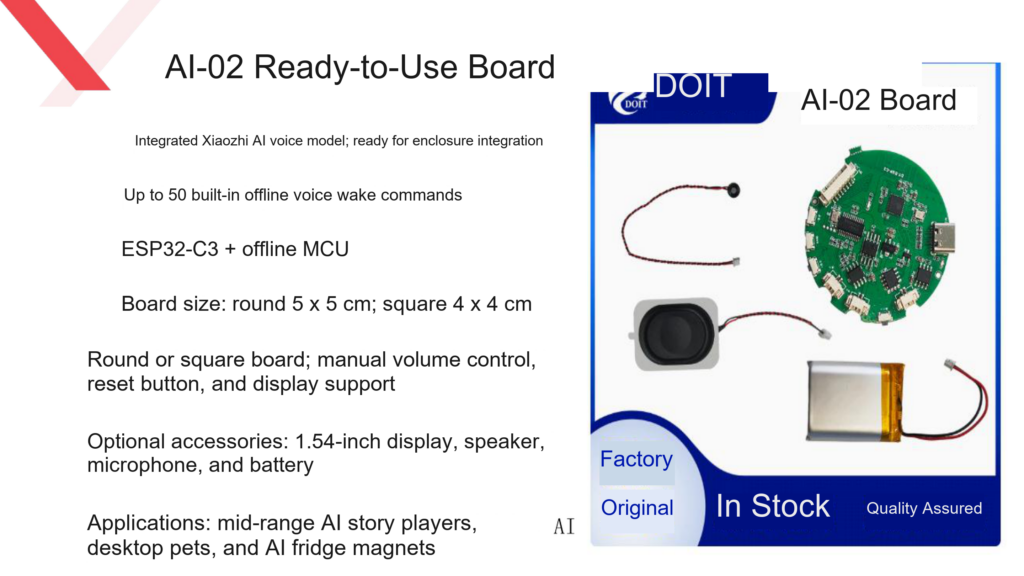
The guide lists AI story players as a use for C3 / AI-02, with square and round boards and optional displays, speakers, microphones and batteries. If complex visuals are unnecessary, prototype the voice path first and decide later whether to add a display.
Specify the actions that should work without a network, such as playing stored content, responding to a local command or announcing a connection problem. Offline voice support does not establish that all stories can be generated offline.
Desktop pets: Test expressions during conversation
Desktop pets need more detailed display requirements than a simple voice box. Specify static expressions, simple animation or two eye displays, and describe how the image should change while the device answers.
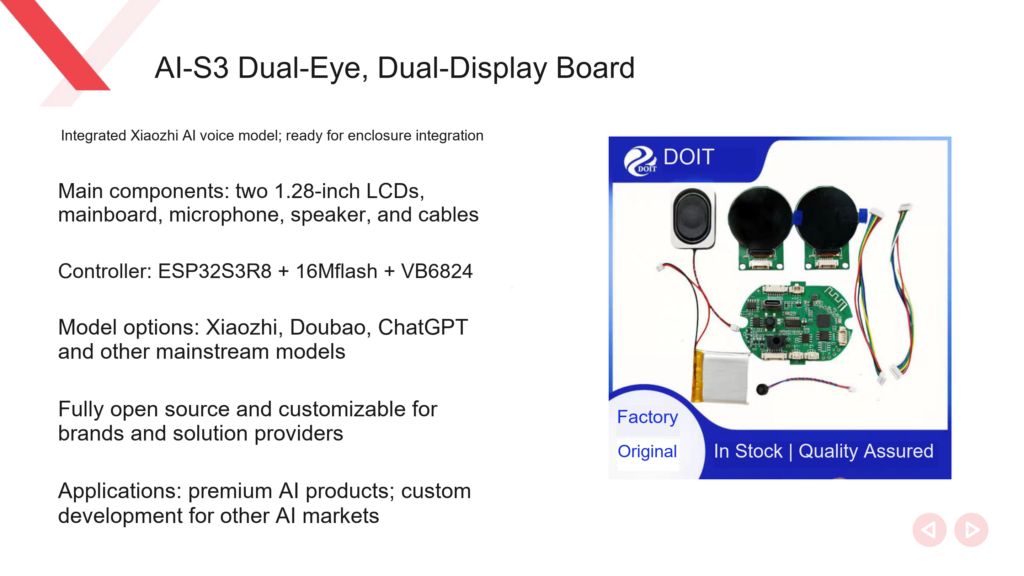
DOIT lists C3 desktop pet applications as well as S3 eye displays and dual-eye, dual-screen designs. Supply an animation you want to use and ask for the prototype to display it while holding a conversation. Observe how the two tasks run together.
Check dual-screen appearance inside the enclosure, including screen spacing, ribbon cables and display openings. Settle the animation assets, display orientation and mechanical dimensions in the same prototype round, beyond simply lighting both screens on a bare board.
Smart dolls: Enclosure design affects voice performance
For dolls and figurines, board size is one constraint among several. Microphone openings, speaker placement, button access, cable length and the charging port all affect use of the complete product.
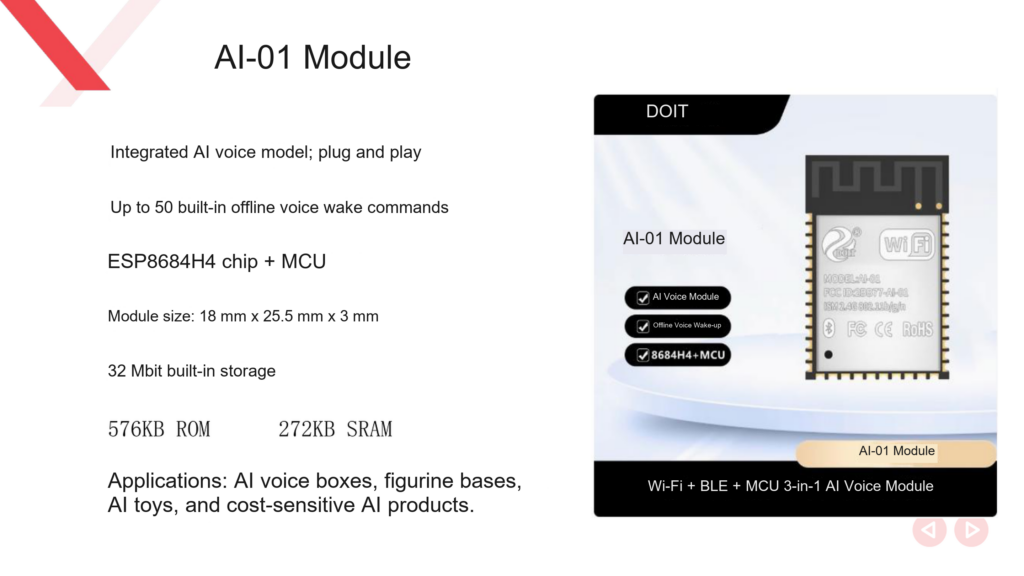
The guide places AI-01 modules in voice boxes, figurine bases and AI toys, and lists S3 designs for smart dolls and figurines. These applications help create a shortlist, but the hardware still needs a physical fit test.
Evaluate AI-01 first for basic voice interaction. Compare other assembled designs when displays or complex peripherals are required. A custom carrier board adds peripheral circuit design and production testing to the development plan. With an assembled board, check that its accessories suit the intended enclosure.
Turn use cases into testable requirements
| Product | Requirements to define first | Prototype test |
|---|---|---|
| Story player | Content source, offline scope, buttons and volume control | Play or request content, then repeat without a network |
| Animated desktop pet | Display type and coordination between animation and speech | Show the target expression while holding a conversation |
| Smart doll | Dimensions, microphone position, speaker construction and power | Test wake-up and replies inside the intended enclosure |
| Figurine base | Module space, external buttons, lighting or display needs | Run the full interaction flow repeatedly |
These are selection recommendations. The documents give no uniform figures for complete-product battery life, wake distance or animation frame rate; measure them on the prototype.
Test voice capabilities separately
Check wake-up first: does the device respond to the agreed phrase? Then check recognition or conversation: does it understand the question and obtain a reply? Finally, test whether the user can start a new input during playback.
Each capability depends on different parts of the system. A listed offline voice function does not verify open-ended questions, personalized voices and natural interruption together. For VB6824 or AEC projects, check the required firmware and service support.
The first product version can use one selected model service to keep testing manageable. When changing services, record the settings that must change and any differences in the interaction.
Prepare for delivery
Once a candidate is selected, create a complete bill of materials covering the board, display, speaker, microphone, battery, cables and enclosure. Document the firmware version, initial network setup, device binding, content updates and recovery methods.
For children or other specific user groups, define the expected answer content and how use will be supervised. Test the service with real questions. Descriptions such as early education or answers across subjects do not guarantee that every answer is correct.
After bare-board tests, use the intended enclosure, production accessories and delivery firmware for full-product acceptance. Check startup, networking, interaction, charging and restart in the sequence users will experience.
Related reading
- Comparing Xiaozhi AI development boards
- AI electronic badge features and versions
- Real-time interruption and AEC configuration
Sources
- DOIT AI Hardware Selection Guide 2026 (PDF), pages 6 to 12 and 15 to 16.
- DOIT AI Development Handbook v1.0 (PDF), pages 13 to 16 and 122 to 124.
Leave a Reply
You must be logged in to post a comment.